Best Cycling Computers for Bikepacking Navigation
20+ years testing gear in Colorado backcountry
Beyond Basic Navigation
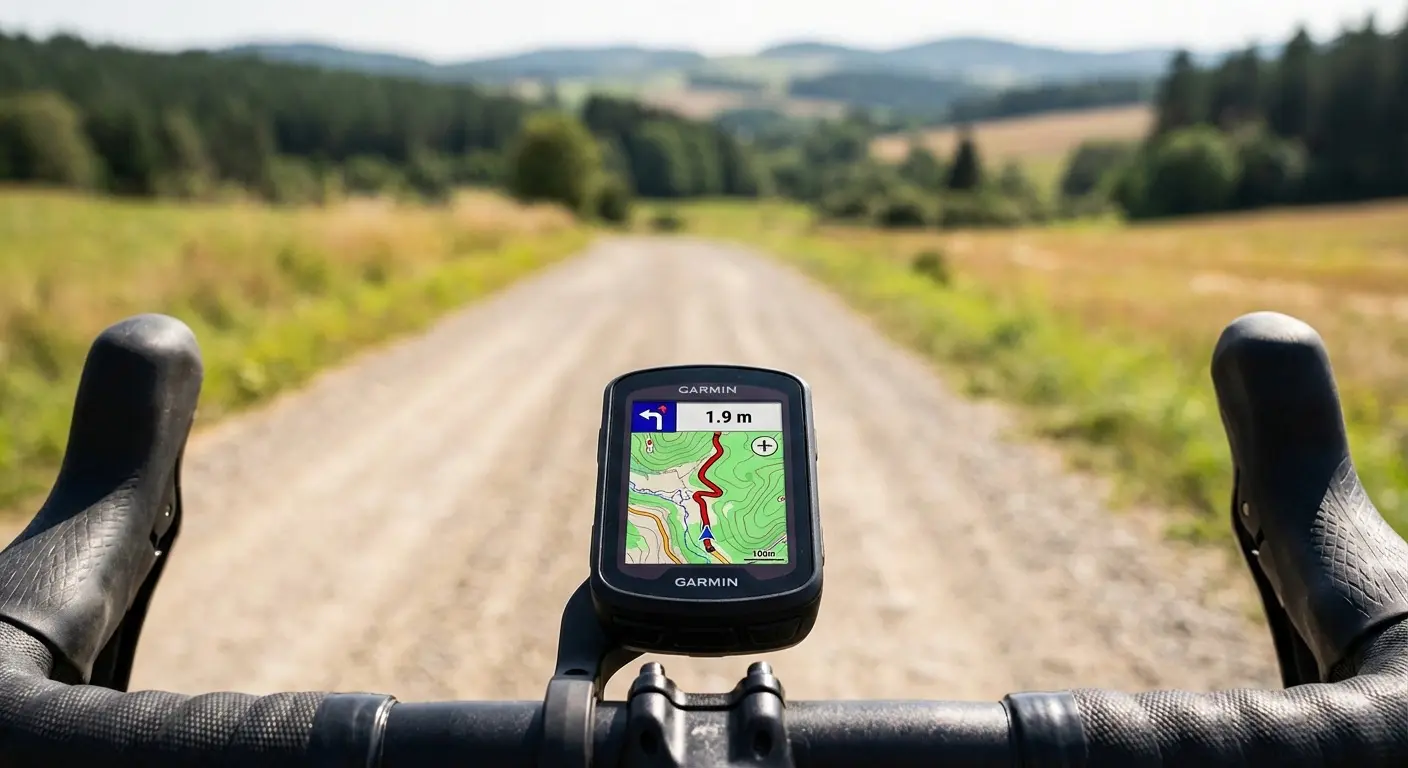
Cycling computers have evolved from simple speedometers to sophisticated navigation systems. For bikepackers, these devices provide turn-by-turn guidance through unmarked terrain, track daily progress, and manage battery life across multi-day adventures. As DC Rainmaker's in-depth reviews demonstrate, choosing the right cycling computer depends on how you balance features against battery life.
While dedicated GPS devices like the Garmin Edge 840 focus purely on navigation, cycling computers add training metrics, sensor integration, and smartphone connectivity. The best bikepacking cycling computers balance navigation capability with the battery life and durability remote routes demand.
This guide compares leading cycling computers for bikepacking, explaining what features actually matter when you're miles from cell service.
For dedicated GPS navigation options, see our GPS Navigation Devices Guide.
What Makes a Good Bikepacking Computer
Navigation Essentials
Offline maps matter most. Cell coverage disappears on bikepacking routes. Your device must store and display maps without data connection.
Turn-by-turn navigation provides audio and visual alerts for upcoming turns. When you're focused on rough terrain, you can't constantly watch the screen.
Re-routing capability gets you back on track after detours. The device should calculate new routes to your destination, not just show where you went wrong.
Map quality varies by manufacturer. Garmin and Wahoo use different mapping sources with different levels of detail for off-road routes.
Battery Life Requirements
Bikepacking demands exceptional battery life:
- Minimum viable: 15-20 hours (long day with margin)
- Comfortable: 25-35 hours (covers most multi-day needs)
- Expedition-ready: 40+ hours (days between charges)
Solar charging options extend runtime significantly for remote routes.
Durability Factors
Your computer faces dust, rain, mud, vibration, and temperature extremes. Look for:
- IPX7 or better water resistance
- Robust mount security
- Screen visibility in direct sunlight
- Functional buttons with gloves
The Route Pre-Load Checklist: Before You Leave Home
Cycling computer navigation fails most often due to user error, not device failure. Run this checklist before every multi-day trip:
24 Hours Before Departure:
- Download maps for entire region—not just your route. You may need to detour.
- Garmin: Connect IQ app → Map Manager → download regional maps
- Wahoo: Elemnt app → Maps → download by region
- Load all route files—verify they display correctly on device
- Charge to 100%—and note exact battery percentage before starting
- Update firmware if available—but test after updating
Morning of Departure:
- Verify route displays correctly—zoom in on several sections
- Test navigation on first quarter mile—does it announce turns?
- Confirm GPS lock—wait for full satellite acquisition before starting
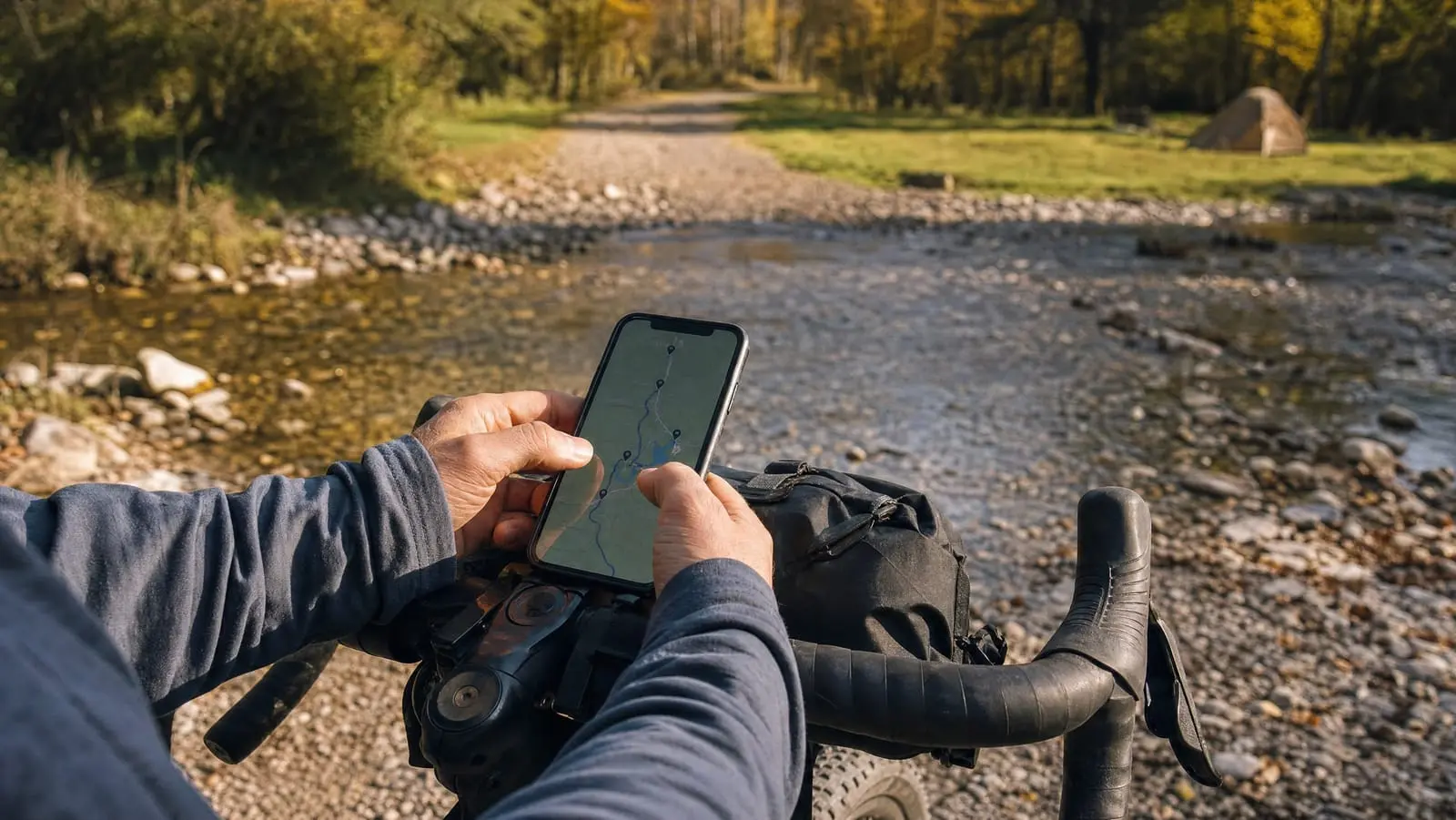
- Screenshot your route on phone as backup
What This Checklist Prevents:
- "I downloaded the route but not the maps"—device shows a line but no context
- "It worked at home but shows 'No Route' now"—corrupted file transfer
- "My computer died at 30% battery"—battery degradation you didn't know about
- "The firmware update broke navigation"—discovered 50 miles from anywhere
The Confidence Test: Before your trip, load a local route and navigate it. Pay attention to:
- Does the device alert you 0.1 miles before turns? 0.05 miles?
- What does "re-routing" look like when you intentionally miss a turn?
- How long does map rendering take when zooming?
- Does the screen remain readable in direct sunlight?
Discovering your device's quirks at home beats discovering them in the backcountry.
Featured Products
Garmin Edge 840
The Edge 840 hits the sweet spot for bikepackers—powerful navigation, excellent battery life, and dual input controls (touchscreen plus buttons). The 26-hour battery handles long days comfortably. ClimbPro shows upcoming climbs with grade and distance, invaluable for pacing loaded ascents. Multi-band GNSS provides accurate positioning even under tree cover. The touchscreen works for quick interaction, while physical buttons handle gloved or wet conditions. At this price point, it's the most capable navigation-focused computer for serious bikepacking.
- 26-hour battery life
- Touchscreen + button controls
- ClimbPro climbing guidance
- Multi-band GNSS accuracy
- Offline maps included
Garmin Edge 540
The Edge 540 delivers core Garmin navigation capability without the touchscreen, trimming both price and complexity. The button-only interface works better with wet or gloved hands anyway. Same 26-hour battery life as the 840. Same ClimbPro. Same multi-band GPS accuracy. You lose touchscreen convenience and some storage (16GB vs 32GB), but navigation quality is identical. For bikepackers who prioritize reliability over features, the 540 provides excellent value.
- 26-hour battery life
- Button-only controls
- ClimbPro climbing guidance
- Multi-band GNSS
- More affordable than 840
Wahoo Elemnt Roam V2
Wahoo built the Roam around ease of use—intuitive operation with minimal fiddling. Phone app handles configuration and route syncing seamlessly. The 2.7-inch color display provides clear navigation, and the dual-band GPS matches Garmin's accuracy. Battery life runs 17+ hours, adequate for most days but tighter than Garmin on extended pushes. The killer feature: Wahoo's famous simplicity. If you want reliable navigation without learning complex menus, the Roam delivers.
- Intuitive app-based setup
- 2.7 inch color display
- Dual-band GPS accuracy
- Simple operation
- Clean mount design
Wahoo Elemnt Bolt V2
The Bolt V2 packs Wahoo's navigation capability into a compact, aero form factor. Same intuitive setup as the Roam, same reliable navigation, smaller screen. The 15-hour battery life covers most riding days but requires attention on longer pushes. The compact design appeals to those who want minimal bar clutter. For weekends and moderate-length trips where compactness matters, the Bolt provides Wahoo quality in a smaller package.
- 15-hour battery life
- Compact aero design
- Simple app-based setup
- Turn-by-turn navigation
- 2.2 inch color display
Garmin vs. Wahoo: The Decision
Most bikepackers choose between these two brands. Here's how they compare:
Garmin Strengths
Feature depth: Garmin packs more features into every device—training analytics, health metrics, third-party app support, extensive customization.
Battery life: Garmin's current lineup runs 25-30+ hours, exceeding Wahoo's 15-20 hours.
Solar options: The Edge 840 Solar and Edge 1040 Solar extend battery significantly in sunny conditions.
Ecosystem: Garmin Connect provides comprehensive data analysis, workout planning, and device integration.
Wahoo Strengths
Simplicity: Setup takes minutes. Phone app handles complexity behind the scenes. Interface requires no manual.
Reliability: Fewer features means fewer things to go wrong. The devices "just work."
Clean design: Minimal aesthetic, integrated mounts, uncluttered interface.
Price: Generally less expensive for equivalent navigation capability.
The Honest Assessment
Choose Garmin if:
- Battery life is critical (longer trips, less charging access)
- You want training analytics and data depth
- You prefer on-device customization
- Solar charging appeals to you
Choose Wahoo if:
- Simplicity matters more than features
- Phone-based configuration feels natural
- You don't need 25+ hour battery life
- You prefer clean, minimal interface
Both brands provide excellent navigation. The choice is philosophical.
Navigation Features Explained
Mapping Quality
Garmin: Uses HERE and Topo Active maps. Includes trail details, points of interest, and elevation data. Road coverage excellent; off-road varies by region.
Wahoo: Uses OpenStreetMap data. Generally excellent for roads; trail detail depends on community mapping. Urban areas often more current.
Difference: Often minimal for common routes. Garmin may have better trail detail in popular recreation areas; OSM sometimes has more current road information.
Route Creation
On-device routing: Both Garmin and Wahoo can create routes directly on the device—useful for impromptu detours.
Phone/computer routing: Better experience for complex routes. Ride with GPS, Komoot, and Strava all sync with both platforms.
GPX import: Both accept standard GPX files from any source.
Turn-by-Turn Guidance
How it works: Device beeps/vibrates before turns, displays direction arrow, shows remaining distance to turn.
Re-routing: If you miss a turn, device calculates route back. Garmin's rerouting is generally faster and more capable.
Off-route alerts: Both warn when you've strayed from your planned route.
Battery Management
Maximizing Battery Life
Lower screen brightness: Often the biggest power drain. Use minimum readable setting.
Reduce GPS frequency: Some devices offer "battery save" modes that poll GPS less frequently.
Turn off unused sensors: Heart rate, power meter, radar—if not using them, disable the connection.
Use simple data screens: Complex displays with many fields drain power faster.
Airplane mode when appropriate: Disable Bluetooth and phone connection when not needed.
Charging While Riding
Many bikepackers charge devices while riding:
USB power bank: Works with both Garmin and Wahoo. Most devices continue navigating while charging.
Dynamo hub: Continuous power generation from wheel rotation. Excellent for self-supported long routes.
Solar panel: Secondary charging for extended trips. Less reliable but useful as backup.
Solar Charging Reality
Solar-equipped devices (Garmin Edge 840 Solar, Edge 1040 Solar) extend battery meaningfully:
- Adds 3-7 hours per day in good sun
- Most impactful in summer, less in winter
- Doesn't eliminate need for overnight charging
- Worth considering for remote expedition routes
Screen and Display
Touchscreen vs. Buttons
Touchscreen advantages:
- Intuitive map interaction (pinch, zoom, pan)
- Faster menu navigation
- More natural smartphone-like feel
Button advantages:
- Works with gloves reliably
- Works in rain without issues
- Simpler interface with fewer modes
Best solution: Devices with both (Garmin Edge 840) offer flexibility.
Screen Size Trade-offs
Larger screens (2.7-3.8"):
- Better map visibility
- More data fields visible
- Easier navigation interface
- Heavier, more bar clutter
Smaller screens (2.2"):
- Lighter weight
- Less bar clutter
- Aerodynamic
- Harder to read detailed maps
For bikepacking navigation, 2.6" represents a good balance.
Sunlight Visibility
All major cycling computers use transflective displays readable in sunlight. This is non-negotiable for outdoor use. Brightness affects power consumption—use minimum setting that remains readable.
Mounting Options
Out-Front Mounts
Standard mounting positions the computer in front of the handlebar, centered in view. Most devices include basic mounts; aftermarket options add features:
Quarter-turn mounts: Standard for Garmin and Wahoo. Universal across brand.
K-Edge and equivalent: Premium aluminum mounts with better durability and adjustability.
Integrated mounts: Some handlebar bags include computer mounting positions.
Stem Mounts
Position computer on top of stem for shorter profile. Less visible but more protected from crashes.
Compatibility
Garmin quarter-turn mounts work with most devices. Wahoo uses compatible system. Mounting typically isn't a concern.
Integration with Other Devices
Sensor Compatibility
Modern cycling computers connect to:
- Heart rate monitors: Chest straps or arm bands
- Power meters: Pedal, crank, or hub-based
- Cadence sensors: Wheel or crank-mounted
- Speed sensors: Wheel-mounted for indoor use
- Radar units: Rear-facing vehicle detection
For bikepacking, sensors are optional but can inform pacing.
Phone Integration
Both platforms sync with smartphones for:
- Uploading rides to Strava/other platforms
- Receiving text notifications
- Live tracking (share location with contacts)
- Route/map downloads
Battery note: Phone connection drains both devices. Disable when not needed on long days.
Smartwatch Integration
Garmin watches sync with Edge computers seamlessly. Wahoo integrates with various platforms via phone.
Budget Considerations
What You Get at Each Price Point
$150-250 (Wahoo Bolt, Garmin 540):
- Full navigation capability
- Adequate battery for day rides
- Core metrics and features
- Reliable performance
$300-400 (Garmin 840, Wahoo Roam):
- Enhanced battery life
- Larger/better displays
- Additional features (ClimbPro, etc.)
- Touchscreen options
$500+ (Garmin 1040, Wahoo Ace):
- Maximum battery life
- Largest displays
- Solar options (Garmin)
- Full feature sets
- Premium construction
Best Value for Bikepackers
The Garmin Edge 540 offers the best value for most bikepackers:
- Full Garmin navigation capability
- 26-hour battery (critical for multi-day)
- ClimbPro for mountain routes
- Durable construction
- Reasonable price
Upgrade to the Edge 840 for touchscreen convenience if budget allows.
FAQ
Do I need a cycling computer or can I use a GPS watch?
GPS watches work but have smaller screens, shorter battery life for navigation mode, and less robust mounting. For serious bikepacking, dedicated cycling computers are worth the investment.
Garmin or Wahoo for a first cycling computer?
Wahoo if simplicity is priority. Garmin if battery life and features matter. Both navigate reliably.
Is the solar charging version worth the premium?
For week-long remote routes with limited charging, yes. For weekend trips with nightly charging, probably not.
Can I use my phone instead?
Phones work as backup but struggle with battery life, sunlight visibility, and durability. See our GPS Navigation Guide for the full comparison.
Which has better maps?
Depends on location. Garmin often better for established trails; OSM (Wahoo) sometimes more current for roads. Both are adequate for most routes.
Quick Recommendations
Best overall: Garmin Edge 840—excellent navigation, great battery, dual controls.
Best value: Garmin Edge 540—same navigation capability, button-only, lower price.
Best simplicity: Wahoo Elemnt Roam V2—intuitive setup, reliable navigation.
Best compact: Wahoo Elemnt Bolt V2—smaller screen, aero design.
For comprehensive navigation guidance, see our GPS Navigation Devices Guide. Pair your navigation with the right lights using our Best Bike Lights guide.
Navigate with confidence. The route awaits.