The Bikepacking Charging Kit: Cables, Bricks and Keeping It Dry
20+ years testing gear in Colorado backcountry
What a Bikepacking Charging Kit Actually Contains
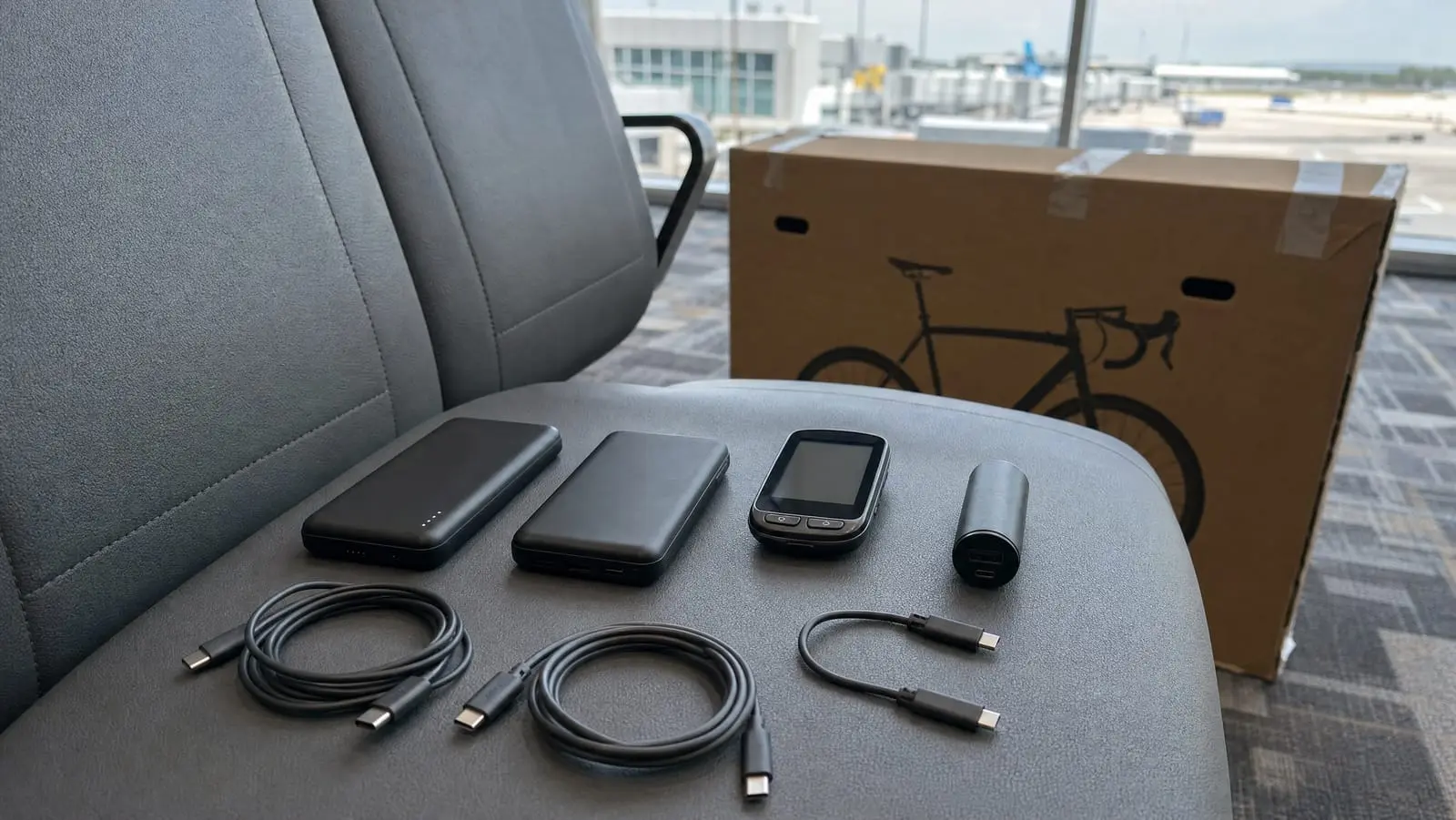
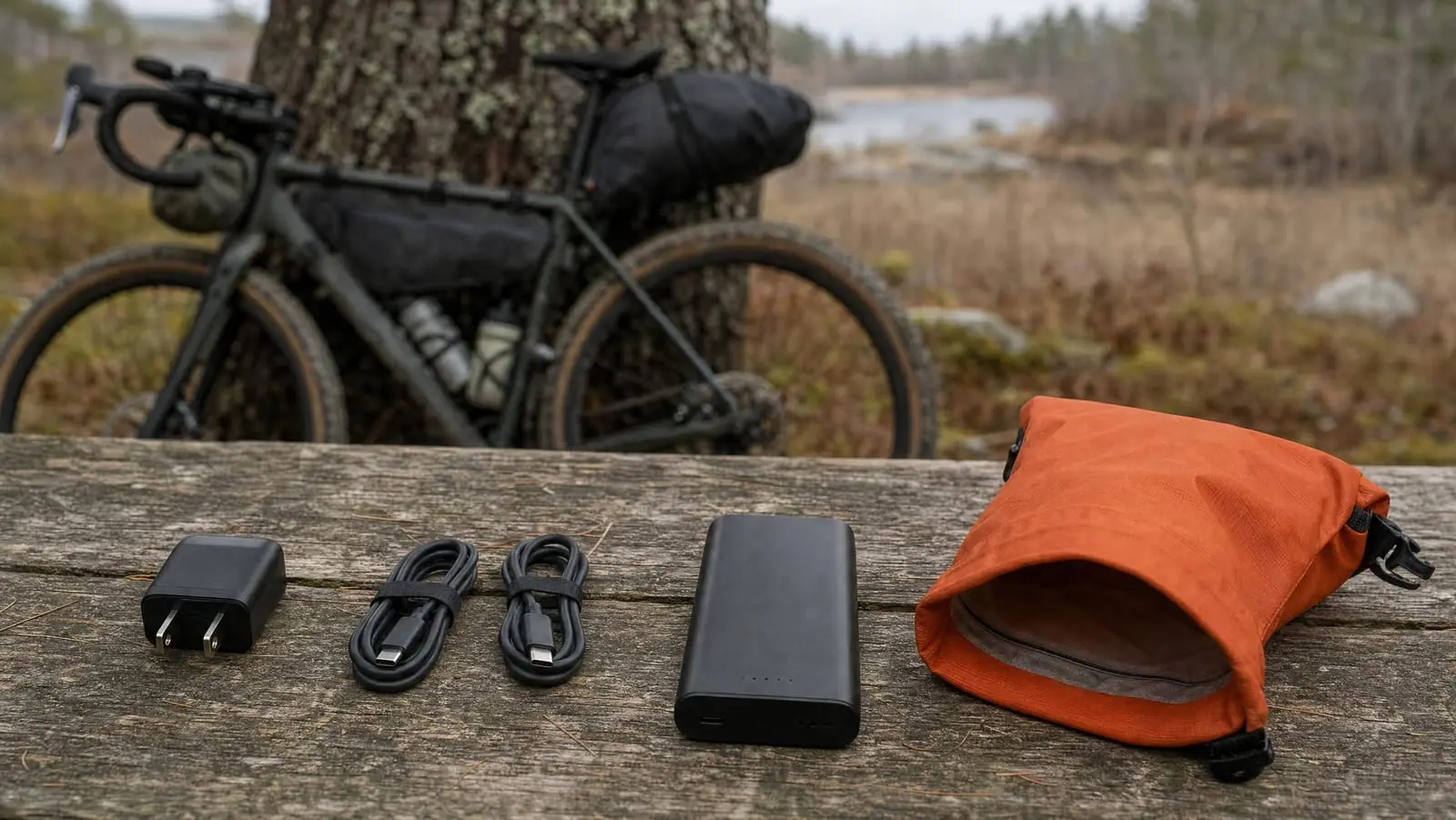
A bikepacking charging kit is four things: one wall brick strong enough to fill everything you own, two short USB-C cables, the one or two adapters your devices genuinely need, and a waterproof pouch that keeps all of it dry. The power bank or dynamo is a separate decision. This is the plumbing.
This article contains affiliate links. We may earn a commission if you make a purchase through our links, at no extra cost to you.
It is also the part of the system that breaks. In our experience the battery is almost never the thing that dies — the cable is. A charging kit fails in one of four ways: the cable cracks at the strain relief where it flexes against a bag, grit packs into a port until the plug sits proud, water sits in a connector and corrodes the pins, or a cable that was never rated for the current gets asked to carry it anyway.
Everything below is built around those four failure modes. If you have not yet decided how much energy you need to carry, start with a complete bikepacking power and charging setup and come back — the size of the kit follows from the budget, not the other way round.
Why the Small Stuff Fails Before the Battery Does
A lithium cell in a power bank sits still, stays sealed and gets handled twice a day. A cable gets coiled, crushed, yanked out sideways, dragged over a top tube and stuffed into a bag with a multitool. The wear is not evenly distributed either — it concentrates in the inch of cable just behind the connector, where the conductors stop being flexible and the molded strain relief takes the bend.
The same asymmetry applies to ports. The USB-C socket on your head unit is a sprung metal tongue in a slot that is open to the weather, mounted on a bike, pointed at the road. A film of trail grit is enough to stop the plug seating fully, and a plug that is not fully seated is a plug that disconnects over every bump.
The connector greens up, the charge light flickers over rough ground, and by the third evening the cable only works if you hold it at one particular angle.
So the kit below is chosen to fail slowly: fewer parts, shorter cables, stiffer jackets, one dry container for all of it.
The Wall Brick: Watts, Ports and Why a GaN Charger Earns Its Place
Your brick has one job — turn every wall socket you find into a full power bank as fast as possible, because you are rarely plugged in for long. Our guide to finding sockets on route covers the hunting; the brick decides what you can do with 40 minutes in a café.
Watts matter more here than at home: with two hours of mains power in a laundromat, a 30W charger and a 45W charger are not the same trip.
GaN is the reason a strong charger can now be small. Power-supply maker Phihong explains it this way: silicon devices are typically limited to switching frequencies of just a few hundred kilohertz, while GaN devices can operate at several megahertz or even tens of megahertz, and GaN semiconductors produce far less heat even when delivering more power. Faster switching shrinks the magnetics; less heat shrinks the housing. Phihong notes a GaN charger delivering 100 watts can be as small as a standard smartphone charger.
For a bike kit we carry the Anker Nano 45W USB-C Charger ($25.99 as of November 2026, list price $34.99). Anker lists 45W GaN output, a foldable plug and its ActiveShield overheat protection, and ships a 6-foot USB-C to USB-C cable in the box. The folding plug is not a detail — a fixed pin is the thing that punches through a dry bag and gouges a sleeping pad. The trade-off: that bundled 6-foot cable is far more length than a bike kit wants, and Anker covers this one for 18 months rather than the 24 months it gives the Nano 3.
If you are counting every cubic inch, the Anker Nano 3 30W USB-C Charger ($15.99 as of November 2026) is the smaller option: Anker rates it at 30W from a GaN charger 1.12 inches thick, describes it as 70 percent smaller than an original 30W charger, and says it supports Samsung Super Fast Charging at 25W. Its trade-off is twofold — no cable is included, and 30W sits below the "40W adapter or higher" that Apple specifies for its up-to-50-percent-in-around-20-minutes figure on the iPhone 17, 17 Pro and 17 Pro Max.
| Brick | Maker's output claim | Cable in the box | Maker's warranty |
|---|---|---|---|
| Anker Nano 45W (with cable) | 45W, GaN, foldable plug, ActiveShield | Yes, 6 ft USB-C to USB-C | 18 months |
| Anker Nano 3 30W | 30W, GaN, 1.12 inches thick, ActiveShield 2.0 | No | 24 months |
USB-C Cables for Bikepacking: Short, Braided and E-Marked
Buy short cables. This is the single highest-value decision in the kit. A bar-mounted phone sits maybe a foot from a top-tube bag and two feet from a frame bag, so a 1-to-2-foot cable spans the gap with nothing left over to flap, snag a brake lever or wind round a stem. If you run a cable up to the bars while riding, our notes on mounting a phone on the bars cover routing it so it does not saw against the headtube.
Then look at the jacket and the strain relief. A nylon braid over a reinforced core resists the abrasion of a gritty frame bag; a soft rubber jacket polishes through. The join between plug and cable is where you should expect the failure, so prefer a long, tapered strain relief over a stubby one.
The e-marker chip is the part nobody checks. Total Phase states that an E-Marker is required on all USB Type-C cables that support 5 amps and/or exceed 60 watts of power carrying capability, and that the E-Marker provides the cable characteristics including length and the maximum supported current and voltage. It is the chip that tells the charger what the cable can survive. Total Phase puts the danger case bluntly: in its example of a cable capable of only 10W being asked for 100W, if the source and sink supply the full 100W of power, the cable will malfunction and things can get dangerous.
One wrinkle on the "100W" label you see everywhere. According to UL Solutions, the 240W USB-C to USB-C Cable specification (48V, 5A) has replaced the 100W USB-C to USB-C Cable (20V, 5A) in the USB Type-C Cable and Connector Specification Revision 2.1, and USB-IF discontinued certification of 100W USB-C to USB-C cables effective December 22, 2021. UL also lists "Cable E-markers must be used in EPR cable assemblies" among the key changes, and names improperly used electronic markers as one of the fire-risk concerns for high-power cables. Read "100W" as a capability claim by the seller, not as a current certification.
| Cable | Length | Power rating | Data | Maker's durability claim |
|---|---|---|---|---|
| UGREEN USB-C to USB-C, 2-pack | 1.6 ft | 100W, PD 3.0, built-in E-marker | 480 Mbps, USB 2.0 speeds | Over 10,000 ninety-degree bends, per UGREEN |
| Anker Nano 240W | 1 ft | 240W, USB-IF certified | No video out | 30,000-plus bends, per Anker |
For most riders the UGREEN 100W USB-C to USB-C Cable, 1.6 ft 2-pack ($12.99 as of November 2026, list price $16.99) is the right buy, because it solves the real problem: you need two cables, not one. UGREEN lists 100W capability with PD 3.0 and a built-in E-marker chip, an aluminum housing over a nylon braid with a 250d fiber core, and rates the cable for over 10,000 ninety-degree bends. The trade-off is data, not power — UGREEN specifies 480 Mbps, which is USB 2.0 speed, so offloading a card full of photos through it will be slow.
When one cable has to take all the abuse, we carry the Anker Nano 240W USB-C to USB-C Cable, 1 ft ($17.99 as of November 2026). Anker lists it as USB-IF certified at 240W, states a 30,000-plus bend lifespan and that it withstands 220 lbs without breaking, and builds the braid from 100 percent post-consumer recycled material. Those are Anker's figures, not our measurements. Two trade-offs: Anker says it does not support screen mirroring or video out, so it cannot be your one do-everything cable, and at 1 foot it will not reach from a frame bag to a bar-mounted phone.
The Adapters Worth Their Weight
Adapters are where kits quietly double in size. The test we apply: does this adapter unlock a socket or a device you will actually meet on this route? If not, it stays home.
Worth carrying:
- A USB-A to USB-C adapter. Older hostel wall plates, campsite charging lockers and friends' battery packs are still full of USB-A ports. This tiny part turns a dead socket into a live one.
- A regional plug adapter, if the route crosses a border. One adapter plus one brick beats a second brick.
- A right-angle or low-profile plug, only if your head unit mount puts the port hard against a stem.
Leave at home:
- A multi-port hub. You are charging two or three things from one brick, in sequence, overnight. A hub adds a failure point and a second set of connectors to get wet.
- A second wall brick. Carry the good one. If it dies, sockets exist in towns.
- Legacy cables for devices you no longer own. Audit the bag before every trip. The micro-USB cable for the light you replaced two seasons ago is pure weight.
- A card reader, unless you genuinely shoot a camera with a card. Phones do not need one.
The one exception to all of that: a device with a proprietary connector. Bring its cable or leave the device.
Waterproofing the Charging Kit: The Failure Mode Nobody Plans For
Here is the rule the rest of the section builds on: never charge a wet port. Apple's own support guidance for a wet USB-C port on a Mac warns that if you charge while the port is wet, the pins on the port or cable can corrode, which can cause permanent damage or stop the port functioning.
Apple's iPhone guidance shows what that costs you. When the phone detects liquid it shows a "Liquid Detected in USB-C Connector" alert and tells you to disconnect the charging cable immediately; Apple says the connector might take up to 24 hours to fully dry, and to wait at least 30 minutes before trying to charge again. Apple also says what not to do: no external heat source or compressed air, no foreign object such as a cotton swab or a paper towel in the connector, and no bag of rice.
No wall brick or cable is a weather-sealed product, so the waterproofing lives at the container level. Two approaches work:
- A roll-top dry pouch. Light, squashes into the gaps in a packed bag, and holds the whole kit including the brick. It offers no crush protection, and a roll-top that is folded only once is not closed.
- A watertight hard case. Keeps the kit dry and keeps a plug pin from puncturing anything, at the cost of occupying a fixed rectangle in your packing.
For the hard-case route, the Pelican 1010 Micro Case ($21.95 as of November 2026) is the known quantity: a watertight hard shell with a rubber liner and an included lanyard. One caveat — the only dimensions we can verify are package dimensions, 14.2 x 9.6 x 5.2 cm, not internal ones, so we will not tell you what fits inside. Measure your brick and cables, then check Pelican's published internal dimensions before you buy. The trade-off is packing: a rigid box will not deform to fill the odd gaps in a frame bag the way a pouch will.
Whichever you choose, pack the kit as one unit. A charging kit distributed across four bags is a charging kit with a piece missing. The same logic we apply to building a bikepacking tool kit applies here: one pouch, known contents, same place every time.
What We Would Carry, by Trip Length
Three kits, scaling with how long you are away from a socket. Work out which column you are in by running the numbers in our guide to working out a power budget in watt-hours.
Weekend, one or two nights, sockets at the trailhead
- One 30W or 45W GaN brick with a folding plug
- One 1-to-2-foot USB-C to USB-C cable
- Whatever proprietary cable your head unit or light demands
- A small dry pouch
A week, sockets every few days
- One 45W GaN brick
- Two short USB-C to USB-C cables, so one failure is not a trip-ender
- A USB-A to USB-C adapter for whatever sockets you find
- A dry pouch or hard case
Remote, many days between sockets
- The same 45W brick, because towns still happen
- Two short cables plus one spare you never unwrap
- A USB-A adapter, plus the cable for a dynamo charger if you run one — see dynamo hub versus power bank for which side of that choice you are on
- A watertight case, and a habit of drying every connector before it goes in
What does not change across the three columns is the brick. One good charger covers every trip you will take; what scales is cables and redundancy.
Cold slows the whole kit down — many riders find a bank that behaves fine in summer is sluggish on a frosty morning, so we keep ours inside a jacket or in the sleeping bag overnight. Our cold-weather bikepacking guide goes further on batteries in the cold. And if a flight bookends the trip, read up on flying with power banks and lithium batteries first: watt-hour thresholds and airline-specific rules both apply, and they have been tightening.
The Last Word on Cables
The cheapest way to make a charging kit reliable is not to spend more money. It is to carry less of it, in shorter lengths, inside one dry container, and to stop plugging into wet ports. The rider with two short braided cables in a roll-top pouch is in better shape than the rider with a big power bank and one fraying 6-footer.
The other half of reliability is using less power in the first place, which costs nothing at all — our notes on stretching the battery you already have cover the settings that matter most.
When you are ready to size the whole system rather than just the plumbing, go back to our complete guide to bikepacking power and charging and build it from the budget up.